Skip to content
OdooWebApps.com

Odoo doesn't have to feel like Odoo.

We build small, fast web apps connected to the Odoo you already run. Your team, customers or suppliers get one screen made for their one job. Odoo stays the system of record; no custom code goes inside it.

SalesInventoryPurchaseManufacturingAccountingContactsOdoo

Your app

Warehouse picking

WH/OUT/00003

0/12 itemsAzure Interior

search_read stock.picking3 records

Odoo 18 demo dataset, snapshot

Working demo. Scan a line or tap it to mark it picked.

Built on 5+ years of hands-on Odoo implementation and automation work. Every demo on this page is a working app with the Odoo call behind it printed underneath.

What we have built for our clients

Apps in daily use across a group of companies in food production, wholesale, retail and catering, all running Odoo 18. Each one sits next to their Odoo, connected through the API.

Barcode picking for the warehouse floor

A mobile web app that lists the day's transfers, lets a picker scan each line and writes the picked quantities and lots straight back to the transfer. It checks lot expiry as lines are picked so short-dated stock is caught on the floor, not by the customer.

APIPickersPicking appOdoostock.pickingstock.move.linestock.lot
Used by
Pickers on phones, logged in with their Odoo user
Replaced
Printed pick lists, hand-written quantities, re-keying into Odoo later
Also
  • Installs to the phone home screen
  • Every write is logged for audit

Wholesale ordering portal for B2B customers

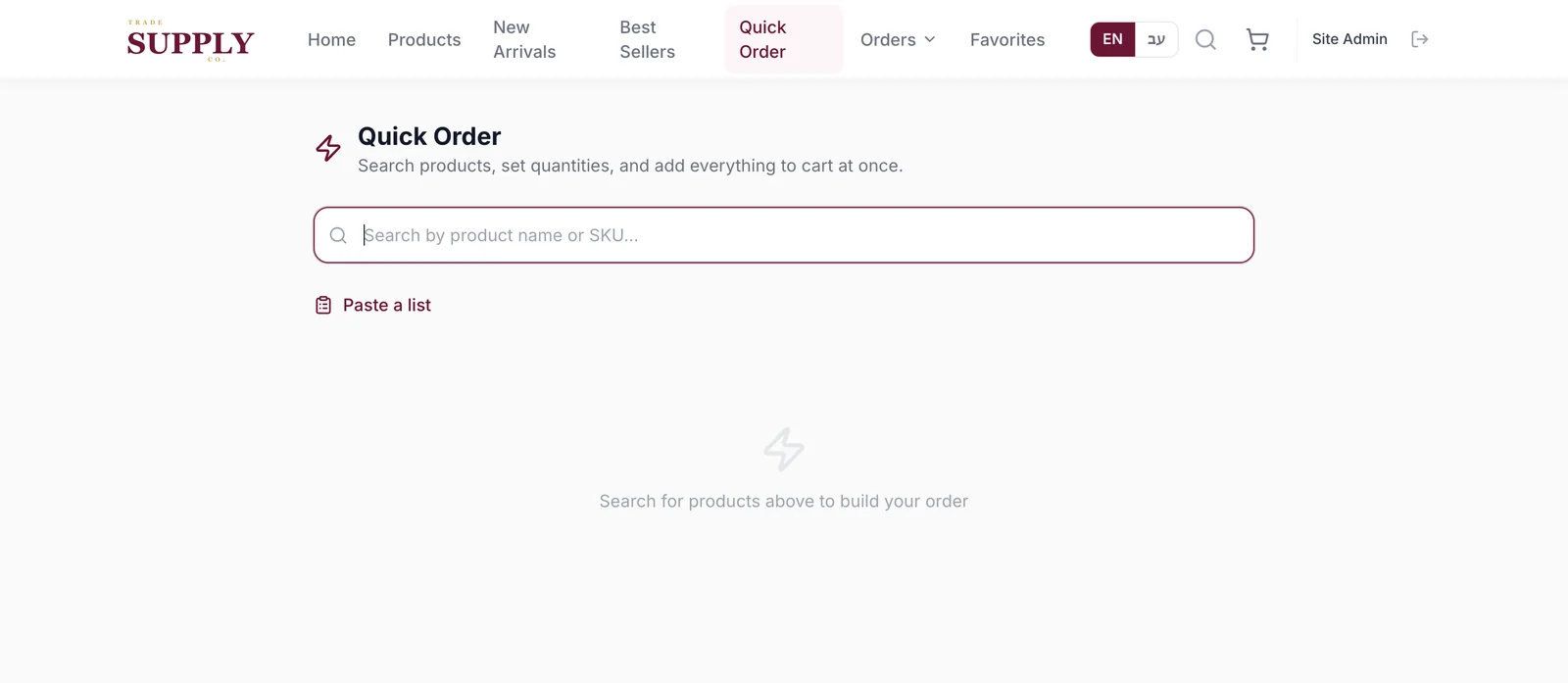
Customers log in, see their own prices and only the products relevant to them, and place an order that lands in Odoo as a confirmed sale order. Stock shown is scoped to the warehouse that actually ships to them. Invoices are emailed by the portal's own scheduler; one of Odoo's mail rules had to be scoped so customers were not emailed twice.

The portal's Quick Order screen: a search box for building an order by product name or SKU
Used by
Trade customers ordering for their own shops and kitchens
Replaced
Orders arriving by phone and chat, typed into Odoo by staff
Also
  • Live on the client's own domain
  • Per-customer product visibility, by design

Kitchen production board

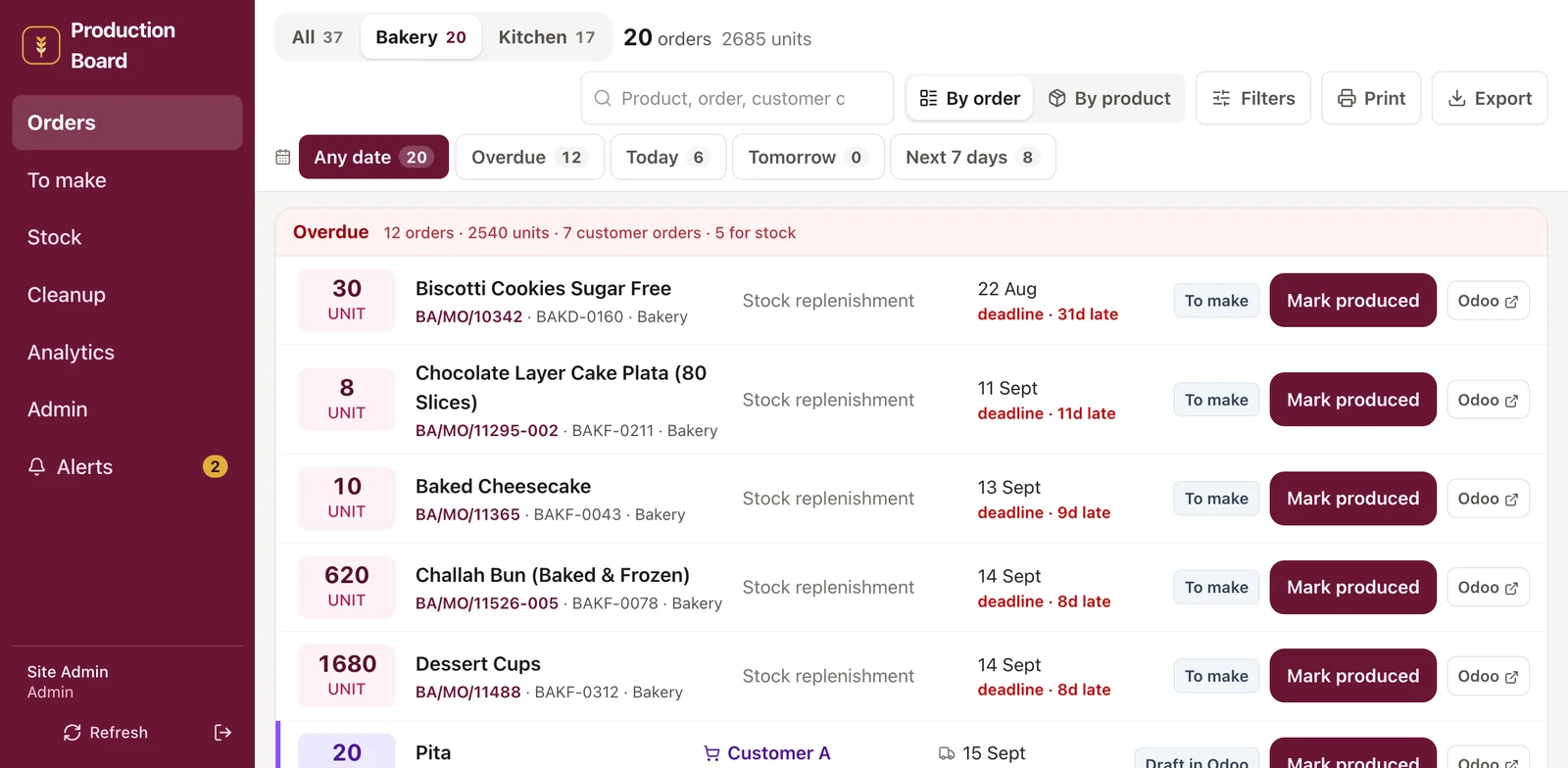
A read-only board on a screen in each kitchen showing what to make today, in what order, for which customers. It is driven entirely by Odoo's automatic manufacturing orders and min/max replenishment rules. Getting the board right meant fixing lead times on 184 bills of materials and 113 replenishment rules in Odoo first.

The production board listing open manufacturing orders grouped by overdue, today and upcoming
Used by
Cooks and bakers at each site
Replaced
Printed manufacturing order lists and a shared terminal

Container and shipment planning

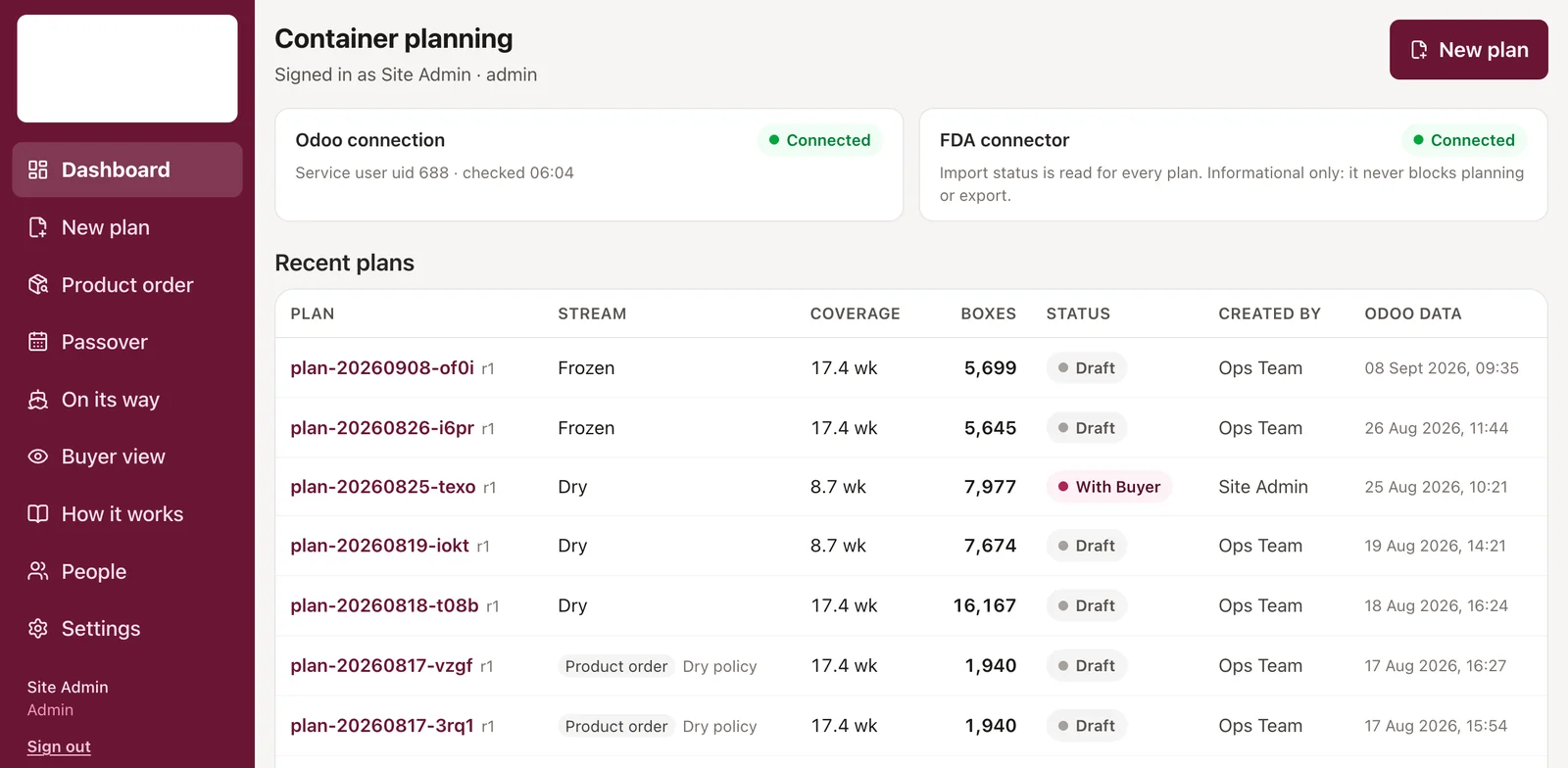
Plan a container against open purchase orders, see the cubic metres fill up as products are added, and keep a register of every shipment. Carton dimensions are measured once per packaging group and inherited by every product in it, so the volume maths is right the first time.

The container planning dashboard listing recent plans with their stream, coverage, box count and status
Used by
The purchasing and logistics team
Replaced
One spreadsheet per container
Also
  • 2,855 products, 1,312 measured cartons
  • 974 automated tests

All 9 apps, including the ones that turned out not to need an app at all.

Two more apps on the same Odoo

Every screen here is a small app built the way we build client apps, reading Odoo 18 through its API. The line under each one is the actual call, and it says where the data came from.

Sales App

Simple mobile order interface for sales reps.

res.partner, product.product, sale.order

Sales app

New order

Choose a customer

search_read res.partner3 records

Odoo 18 demo dataset, snapshot

Management Dashboard

Live sales, margin, inventory and purchasing data from Odoo.

sale.order, stock.quant, purchase.order

Management dashboard

This week

$24,636

Sales, last 7 order days

31%

Margin

1,532

Units on hand

4

Open purchase orders

Sales by day

read_group sale.order7 records

Odoo 18 demo dataset, snapshot

Your Odoo stays exactly where it is.

We don't customize Odoo and we don't replace it. We put a small, separate app next to it.

  1. 01

    Odoo keeps the data

    Products, customers, orders, stock, accounting. All of it stays in your Odoo, exactly as it is today.

  2. 02

    The app talks to Odoo through its API

    It reads what it needs and writes decisions back through Odoo's external API (JSON-2 on Odoo 19, JSON-RPC before it), as a normal Odoo user with normal access rights. No custom code is installed inside Odoo.

  3. 03

    Your users get one screen for their job

    A picker sees pickings. A rep sees customers and products. A supplier sees their purchase orders. Nobody has to learn Odoo to use it.

Odoo stays responsible for

Accounting
account.move
Inventory
stock.picking, stock.quant
Sales
sale.order
Purchasing
purchase.order
Manufacturing
mrp.production
Master data
res.partner, product.product

We build

Because no custom code lives inside your Odoo database, there is nothing to clash with another module or to break the next time Odoo upgrades. If Odoo changes an API field, the app is adjusted; your Odoo is untouched. When a job is better done inside Odoo, with a scheduled action or a mail template, we say so and configure that instead.

Prices for small, scoped projects

Every project is scoped to one workflow, so the starting price is known before the conversation starts.

Tiny

From $390

One focused workflow.

Approval screen, Simple report, Small data entry tool.

App

Typically

$490-$890

A polished multi-screen web application built around one workflow.

Bigger idea

Let's talk

For more sophisticated workflows, portals or systems.

Tell us what you want to simplify

Need us to host and maintain it? We can do that too.

The questions people ask before they write to us

Written the way we would explain it in a scoping call.

All 24 guides

Common questions

The ones that come up in nearly every first conversation.

No. Odoo stays at the center of the business. Our applications connect to it.

There's probably one part of Odoo your team wishes were simpler.

Describe the workflow as it happens today. We'll tell you honestly whether it should become a small app, roughly what it would cost, and what we would need from your Odoo to build it.

You will hear back from the person who would build it, not a sales desk.

What kind of workflow? (optional)